AI tools are transforming how businesses process and analyze multimodal data - like text, images, audio, and video - by integrating them into unified workflows. This article highlights 10 leading platforms that excel in different aspects of multimodal data fusion, from enterprise AI pipelines to semantic search and data labeling. Here's what you need to know:
- Google Cloud Vertex AI: Handles diverse data types with tools like the Multimodal Embeddings API and Gemini models.
- OpenAI API: Unified models (e.g., GPT-4o, GPT-5.5) trained on text, vision, and audio for seamless multimodal processing.
- Azure AI Foundry: Enterprise-focused with integrations for Microsoft tools and Retrieval-Augmented Generation (RAG).
- AWS Bedrock: Combines vector embeddings and automation for scalable multimodal data handling.
- NVIDIA AI Enterprise: Offers pre-built blueprints for real-time AI processing, including video summarization and digital twins.
- Databricks Mosaic AI: Built on the Lakehouse platform, it excels in vector search and hybrid retrieval for large datasets.
- Encord: Specializes in data labeling across formats like LiDAR, video, and images, with advanced search capabilities.
- Pinecone: A vector database for semantic and keyword-based multimodal retrieval.
- TileDB: Uses multi-dimensional arrays to store and manage diverse data types like genomic sequences and sensor data.
- AI for Businesses: A platform helping SMEs integrate multimodal AI tools into workflows with minimal setup.
These tools cater to different needs, such as enterprise AI, semantic search, or data labeling. Key considerations when choosing include data types, integration complexity, and your specific business goals.
Quick Comparison
| Tool | Supported Data Types | Best For | Integration Level |
|---|---|---|---|
| Google Cloud Vertex AI | Text, images, video, audio | Enterprise AI pipelines | High (cloud-native) |
| OpenAI API | Text, images | Document/image analysis | High (API-driven) |
| Azure AI Foundry | Text, images, audio | Microsoft ecosystem workflows | High (Microsoft integration) |
| AWS Bedrock | Text, images, audio | Scalable cloud AI | High (AWS ecosystem) |
| NVIDIA AI Enterprise | Text, images, video | Real-time AI, robotics | Moderate (GPU required) |
| Databricks Mosaic AI | Text, structured data | Data engineering | High (Lakehouse platform) |
| Encord | Images, video, LiDAR | Data curation/labeling | High (API/cloud connectors) |
| Pinecone | Vector embeddings | Semantic search | High (managed database) |
| TileDB | Arrays, genomic data | Scientific data management | Moderate (developer-focused) |
| AI for Businesses | Text, PDFs, audio, video | SME tool discovery | Very High (no-code setup) |
Each platform offers distinct strengths. Whether you're managing enterprise workflows or exploring semantic search, selecting the right tool depends on your data challenges and infrastructure.
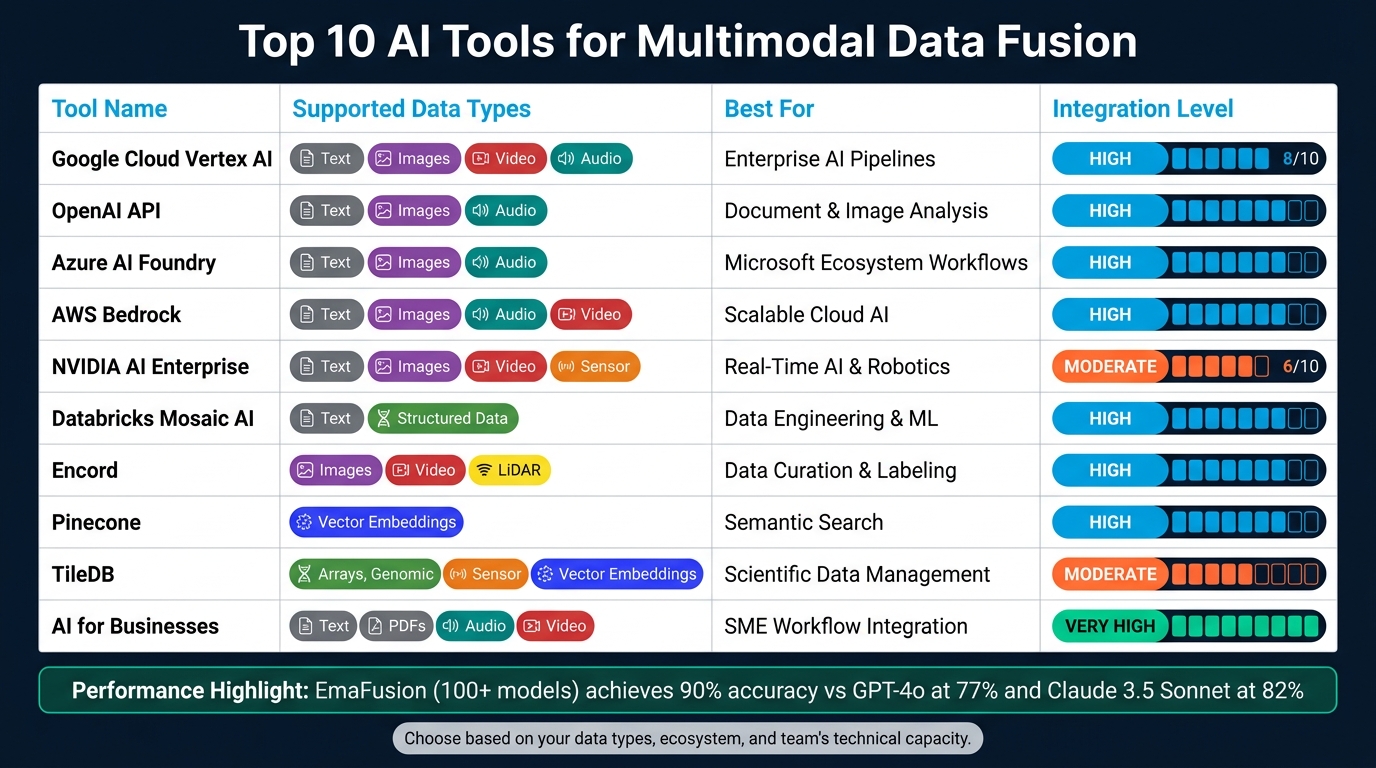
Top 10 AI Tools for Multimodal Data Fusion: Side-by-Side Comparison
Multimodal Models and Fusion - Complete Guide
sbb-itb-bec6a7e
1. Google Cloud Vertex AI
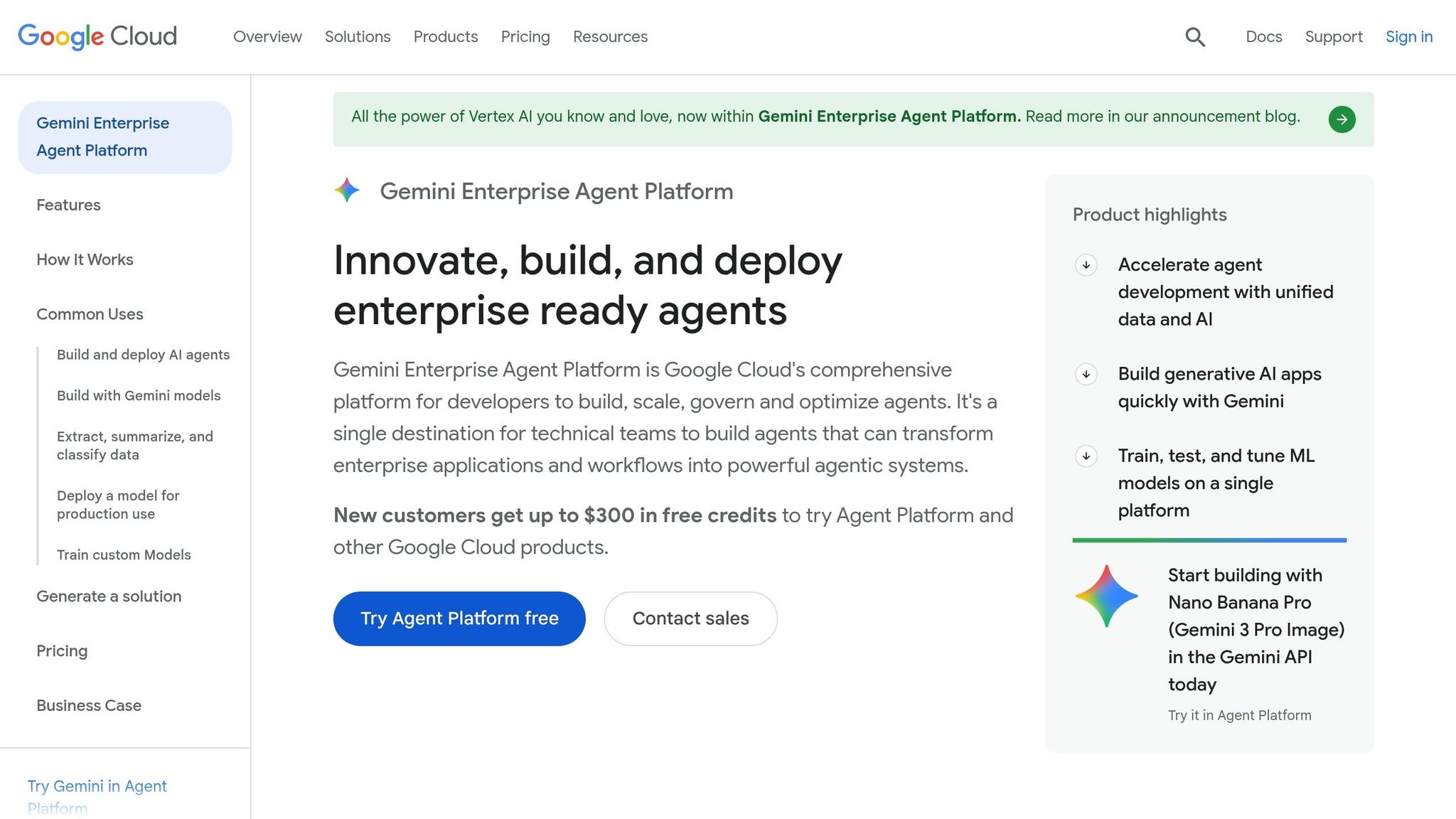
Google Cloud Vertex AI, now integrated into the Gemini Enterprise Agent Platform, offers robust support for a variety of data types, including text, images, video, audio, code, and documents [4][5].
The platform's Multimodal Embeddings API is a standout feature. It transforms various data formats into a shared vector space with dimensions of 128, 256, 512, or 1,408. This capability enables advanced functions like semantic search, cross-modal recommendations, and content moderation [3].
Vertex AI streamlines the process of loading multimodal datasets by directly integrating with BigQuery, Pandas DataFrames, or JSONL files stored in Cloud Storage. This eliminates the need for time-consuming reformatting. Developers can use Python, Node.js, Java, Go, or C# SDKs to deploy pre-built pipelines for tasks such as document summarization or image processing, with deployment times averaging around 11–12 minutes [6][8].
The Gemini models (Gemini 3.1 Pro and 2.5 Pro) further enhance the platform's capabilities. These models can handle prompts that include up to 3,000 images or approximately 45 minutes of video with audio [7][9]. Pricing is straightforward: BigQuery storage costs $0.02 per GiB per month, while image embeddings are priced at $0.0001 each. New customers also benefit from generous trial credits, including up to $300 in free credits, 1,000 free Vision API units, and 1,000 minutes of Video Intelligence processing each month [4][8].
Stay tuned for the next section, where we explore how the OpenAI API takes multimodal data integration even further.
2. OpenAI API
The OpenAI API takes a unified approach to handling multimodal data, using models like GPT-4o and GPT-5.5 that are trained end-to-end on text, vision, and audio simultaneously [11]. Unlike older pipelines that processed inputs separately, this single neural network processes all data together. This means it can pick up on subtle details like tone of voice, background noise, or overlapping speakers - details that often slipped through the cracks in previous systems. This integration is key to its ability to handle a wide variety of data formats.
Out of the box, the API supports a broad range of formats, including:
- Images: PNG, JPEG, WEBP, GIF
- Audio: MP3, WAV, AAC, FLAC, OGG
- Documents: PDFs, spreadsheets (.csv, .xlsx), Word files (.docx), and even code files
For documents containing charts or diagrams, converting them to PDF ensures both text and visuals are extracted properly.
When it comes to performance, GPT-4o stands out. It delivers audio responses in just 232 milliseconds, which is nearly as fast as the average human response time of 320 milliseconds. On top of that, it’s 50% cheaper than GPT-4 Turbo [11]. For businesses managing large volumes of multimodal data, this faster, more affordable option can significantly improve efficiency and responsiveness.
The API also integrates seamlessly with existing systems, offering SDKs for Python, Node.js, and .NET. It provides three specialized endpoints to cater to different multimodal needs:
| API Endpoint | Best For |
|---|---|
| Responses API | Multi-turn conversations, image analysis, document processing |
| Realtime API | Low-latency voice agents via WebRTC or WebSocket |
| Retrieval API | Semantic search over internal business documents |
To enhance its multimodal capabilities, tools like File Search and Vector Stores are included. These handle tasks like chunking, embedding, and indexing documents automatically. The first 1 GB of storage is free, with additional storage costing $0.10/GB/day [10]. This makes it easy to integrate proprietary data - like product manuals, customer records, or internal policies - into AI responses without overwhelming the model’s input limits.
3. Azure AI Foundry
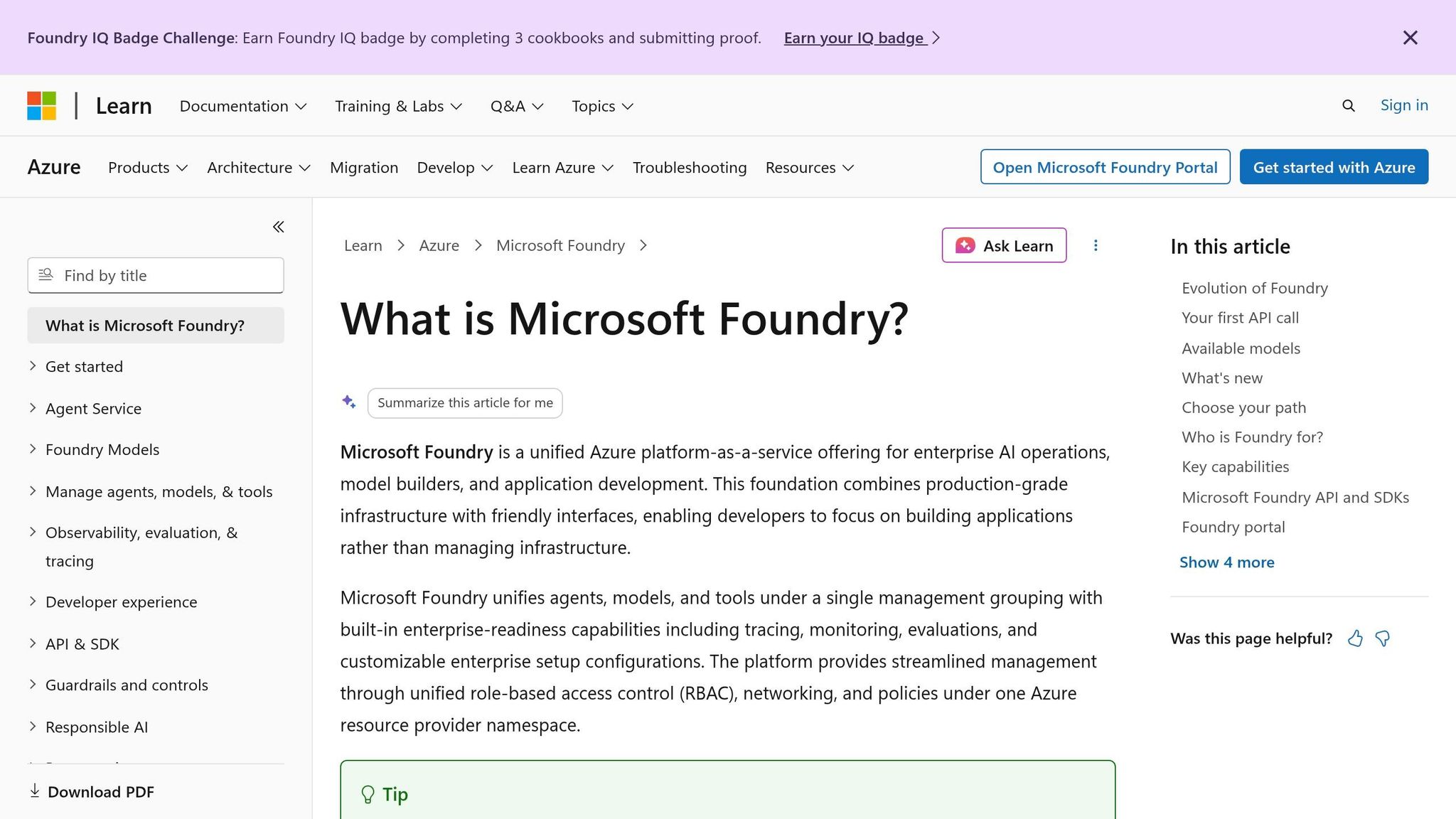
Microsoft's Azure AI Foundry is designed to bring enterprise-level AI integration to businesses, leveraging its ability to work with a wide range of data types - text, images, audio, video, and unstructured documents. Through Azure Content Understanding, the platform transforms raw, unstructured content, like video footage, scanned PDFs, or massive image collections, into structured formats ready for AI processing [12].
With access to over 11,000 models [14], including GPT-4o, GPT-5, Phi-4-multimodal, and Anthropic Claude, the platform supports various combinations of text, image, and audio inputs. For simpler tasks, the Phi-4-multimodal model is tailored for environments where cost and latency are key considerations [13][17].
Azure AI Foundry also simplifies data integration with Foundry IQ, which connects internal systems effortlessly. Its Retrieval-Augmented Generation (RAG) engine enables seamless access to multiple data sources - like SharePoint, Azure Blob Storage, OneLake, and even the web via Bing - through a single entry point. Built-in user access controls ensure secure data handling [14][18]. According to Microsoft, using Foundry IQ's query planning results in a 36% improvement in answer accuracy compared to standard search methods [18]. For businesses needing to integrate legacy systems, Azure Logic Apps provides over 1,400 pre-built connectors for tools like SAP, Salesforce, and Dynamics 365 [14].
Azure AI Foundry has already proven its value in real-world applications. Many organizations begin by running an AI pilot to test these capabilities on a smaller scale. In May 2026, healthcare technology company healow used Azure OpenAI and Azure Speech within Foundry to enhance its Sunoh.ai clinical note-taking platform, reducing administrative time for U.S. clinicians by nearly 50% [12]. Similarly, legal tech company DraftWise achieved a 60% boost in developer productivity by adopting Azure AI Foundry Models for legal document workflows [15].
"Azure AI Foundry Models is an absolute game-changer. It's ignited development for us, improving developer efficiency by 60% over traditional methods." - James Ding, Founder and CEO, DraftWise [15]
Azure AI Foundry operates on a consumption-based pricing model. While exploring the platform is free, costs are incurred during deployment. Serverless API access is priced per token, while managed compute is billed by virtual machine core hours [14][16]. For businesses just starting with AI, the serverless option offers a cost-effective way to manage expenses without the need for extensive infrastructure.
4. AWS Bedrock
Amazon Bedrock combines multimodal data processing through two distinct methods. The first directly encodes data - like text, images, audio, and video - into a shared vector space using Amazon Nova Multimodal Embeddings. This approach retains visual and acoustic context, making it perfect for tasks like searching a product catalog with an image. The second method, Bedrock Data Automation (BDA), converts multimedia into detailed text representations by transcribing audio, extracting text via OCR, and summarizing video scenes. This is particularly effective for retrieving specific spoken content or extracting structured data from complex documents [21]. Together, these methods enable both broad similarity-based searches and precise content retrieval.
Supported file formats include images (PNG, JPG, GIF, WEBP), audio (MP3, WAV, FLAC, M4A), video (MP4, MOV, MKV, WEBM), and documents (PDF, text) [21]. For audio and video files, Bedrock automatically segments content into adjustable chunks ranging from 5 to 30 seconds, complete with start and end timestamps (in milliseconds) for easy access [20].
In March 2025, companies like Air and Tenovos shared impressive results using Bedrock. Air, a creative operations platform, reported a 90% reduction in search time. Shane Hegde, Co-Founder and CEO of Air, highlighted the impact [23]:
"Amazon Bedrock Data Automation allows us to extract specific, tailored insights from content (such as video chapters, transcription, optical character recognition) in a matter of seconds... Air has cut down search and organization time for its users by 90%." - Shane Hegde, Co-Founder and CEO, Air
Similarly, Tenovos, a digital asset management company, saw over a 50% increase in content reuse. Philip Wisniewski, VP of Global Alliances at Tenovos, explained [19]:
"With BDA, we can enable semantic search at scale, to increase content reuse by upwards of 50% or more and decrease millions of dollars in marketing costs." - Philip Wisniewski, VP, Global Alliances, Tenovos
Bedrock integrates effortlessly with Amazon S3 for data ingestion and Amazon EventBridge for workflow notifications. It also supports external platforms like Salesforce, SharePoint, and Confluence. Developers can manage the entire pipeline with a single API call - InvokeDataAutomationAsync - removing the need to coordinate multiple specialized models [22]. Pricing is usage-based, calculated per page, image, or audio/video duration, offering predictable costs for handling large media libraries [22]. Next, NVIDIA AI Enterprise further extends the potential of multimodal fusion capabilities.
5. NVIDIA AI Enterprise
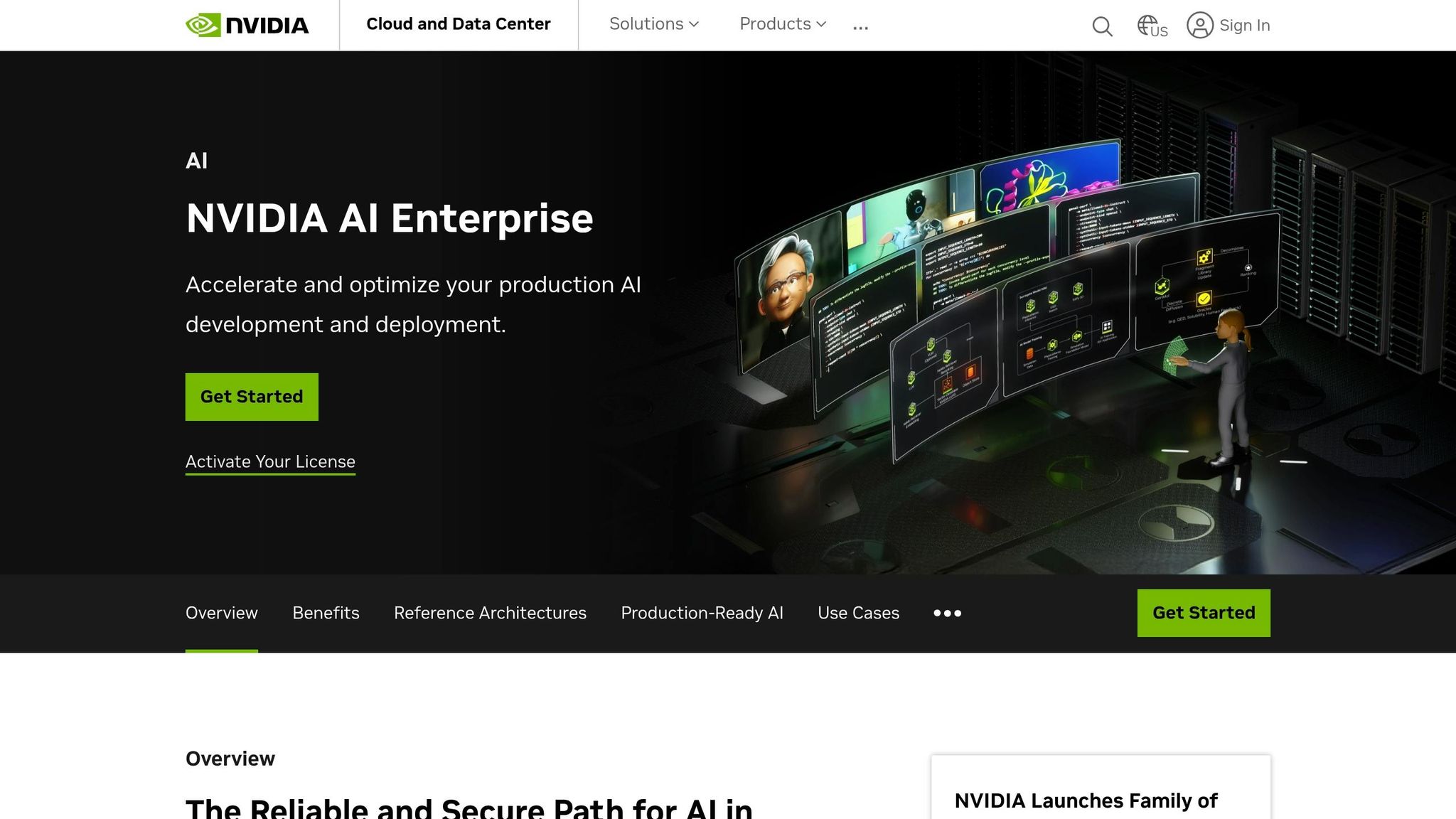
NVIDIA AI Enterprise offers a blueprint-driven solution for handling multimodal data fusion at scale. This cloud-native suite is designed to help businesses integrate and process various data types, including text (like PDFs and technical documents), audio (such as podcasts and conversational AI), video (both live and archived), and even 3D or physical data for digital twin applications. At its core, the platform utilizes NVIDIA NIM microservices to enable scalable Retrieval-Augmented Generation (RAG) pipelines, capable of managing diverse data formats efficiently.
One standout feature is the availability of pre-built NVIDIA Blueprints. These blueprints simplify the creation of multimodal workflows, making it easier to extract actionable insights from combined data sources. For example:
- The PDF to Podcast Blueprint transforms technical documents into audio formats.
- The Video Search and Summarization Blueprint enables interactive Q&A using live or archived video feeds.
- The Digital Human Blueprint integrates speech AI, vision, and animation to create customer-facing avatars.
Each blueprint comes with reference code, sample datasets, and Helm charts, ensuring faster deployment and implementation.
The impact of NVIDIA AI Enterprise is already being felt. In May 2026, NVIDIA shared that its internal IT team used the platform to build a unified AI factory. This initiative cut supply chain planning times by over 95% and condensed decades of engineering work into just one year [24]. Other companies, like Amgen and ServiceNow, are leveraging the platform for significant advancements. For instance, Amgen uses it alongside DGX Cloud to train large language models for biologics discovery, while ServiceNow integrates it to roll out generative AI across employee workflows.
"Generative AI is leading a transformative era for enterprises, with vast potential to enhance employee experiences, improve productivity, strengthen security, and drive operational efficiencies." - Chris Bedi, Chief Information Officer, ServiceNow
NVIDIA AI Enterprise is also designed for seamless integration. It works across various infrastructures, whether on-premises, in major cloud environments (AWS, Azure, Google Cloud, Oracle Cloud), or at the edge. The platform uses Kubernetes for orchestration and includes the NVIDIA GPU Operator, which automates GPU driver installation and resource management, streamlining scaling efforts. To help businesses explore its capabilities, a 90-day free trial license is available for production testing [25].
Next, we’ll take a closer look at how Databricks Mosaic AI approaches multimodal data fusion.
6. Databricks Mosaic AI
Databricks Mosaic AI brings together text, images, audio, video, sensor, and genomic data into a single, unified platform. Instead of juggling multiple tools, it leverages the Lakehouse platform, which is managed by Unity Catalog. This ensures secure access control and provides a clear data lineage from the moment data is ingested to its deployment [27][29].
The platform's Mosaic AI Vector Search can handle up to 1 billion embeddings per endpoint, delivering speeds five times faster than competitors. Its Hybrid Search combines semantic search with BM25 keyword search using Reciprocal Rank Fusion, improving recall by 20% compared to dense retrieval methods. This keyword layer proves especially useful for handling structured data like product SKUs, medical codes, and financial identifiers [28][30].
With the ai_query() function, users can directly query multimodal models using standard SQL. This feature simplifies retrieving structured JSON data from images, audio, or documents, eliminating the need for custom parsing code [26]. Additionally, Delta Sync keeps vector indexes automatically updated as source data changes, removing the need for manual pipeline maintenance [28].
"Vector Search allowed us to integrate our proprietary data and documentation into our Generative AI solution that uses retrieval-augmented generation (RAG). The integration of Vector Search with Databricks Delta Tables and Unity Catalog made it seamless to update our vector indexes real-time as our source data is updated." - Tom Thomas, VP of Analytics, Ford Direct [28]
The impact on businesses is clear. For example, FactSet saw a 44% accuracy boost after switching to a Databricks-powered agent system. Intercontinental Exchange (ICE) achieved 96% response accuracy by grounding an agent in financial data, and Comcast cut costs by a factor of 10 on its personalized viewer experience [27]. Industries reaping the benefits include:
- Financial services: Enhancing data-driven decision-making.
- Insurance: Automating claims processing with vision models.
- Healthcare: Combining medical imaging with clinical notes for better insights.
- Retail: Merging product images with customer reviews to refine recommendations [26][27][31].
Next, we’ll explore Encord’s approach to multimodal data fusion and its contributions to this evolving space.
7. Encord
Encord is designed for teams handling a wide variety of data types. It supports formats such as video, audio, images, text, LiDAR, RGB-D, radar, DICOM, thermal, multispectral, and geospatial data [32].
Its standout feature, the EBind model, brings together text, audio, images, video, and 3D point clouds into one shared space. This allows users to perform natural language searches - like looking for "dog in the street" - across multiple data types, including video, audio, and LiDAR, all at once [36].
For applications like autonomous vehicles, robotics, and drones, Encord aligns LiDAR, camera, and radar streams on a unified timeline. It synchronizes labels and timestamps, enabling cohesive 3D visualization with support for up to 20 million points per scene [35].
Matt Pearce from Pickle Robot shared his experience:
"The composability of Encord enables us to merge diverse data sources, facilitating extensive experimentation. With a well-integrated SDK, it's a matter of a few lines of code to achieve seamless integration and functionality." - Matt Pearce, Applied ML at Pickle Robot [35]
Encord eliminates the need for data migration by connecting directly to cloud providers like AWS, GCP, Azure, and Oracle. It integrates seamlessly into existing CI/CD pipelines and automates pre-labeling processes through Data Agents powered by models such as GPT-4o, Gemini, Claude 3, or Whisper. This setup can be operational in as little as two weeks [37][38].
The platform's impact is clear: Archetype AI saw a 70% boost in productivity, Pickle Robot improved annotation accuracy by 30%, and Standard AI saved $600,000 annually by streamlining its data infrastructure [33]. Trusted by more than 300 leading AI teams, Encord meets SOC2, HIPAA, and GDPR compliance standards, making it a reliable choice for industries like healthcare and finance [33][34].
8. Pinecone
Pinecone is a powerful tool in the world of multimodal fusion, offering a unique vector-based approach. It acts as a vector database that transforms text, images, audio, and video into shared embedding vectors. This enables cross-modal retrieval, such as using a text query to find related images or audio clips.
What sets Pinecone apart is its hybrid search capability, which combines semantic (dense vector) and keyword-based (sparse vector) retrieval. This is controlled by an alpha parameter, where the formula is: combined = alpha * dense + (1 - alpha) * sparse. For most use cases, an alpha value of 0.75 is recommended to prioritize meaning, while 0.25 is better for exact matches, like technical IDs [40].
For workflows involving a lot of documents, Pinecone Assistant is a standout feature. It processes multimodal PDFs by extracting text and images, generating descriptive captions, and using OCR for scanned content. This ensures responses are highly grounded. As Roie Schwaber-Cohen from Pinecone's product team shared:
"Pinecone Assistant started as a fast way to build grounded chat on top of proprietary data. Over time, it's grown into something broader: an end-to-end knowledge service for AI applications." [41]
Pinecone also delivers impressive performance, with a p50 query latency of 16 ms for dense indexes (10 million records) and 8 ms for sparse ones, all backed by a 99.95% uptime SLA [39]. Integration is seamless, thanks to a managed Python SDK, native connectors for AWS Bedrock, SageMaker, OpenAI, and even a Claude plugin for agent-driven workflows.
Pricing is flexible with a pay-as-you-go model. Multimodal PDF ingestion costs $0.001 per unit (about 400 tokens), storage is priced at $3.00 per GB per month, and there's a free starter tier for those just getting started [41].
9. TileDB
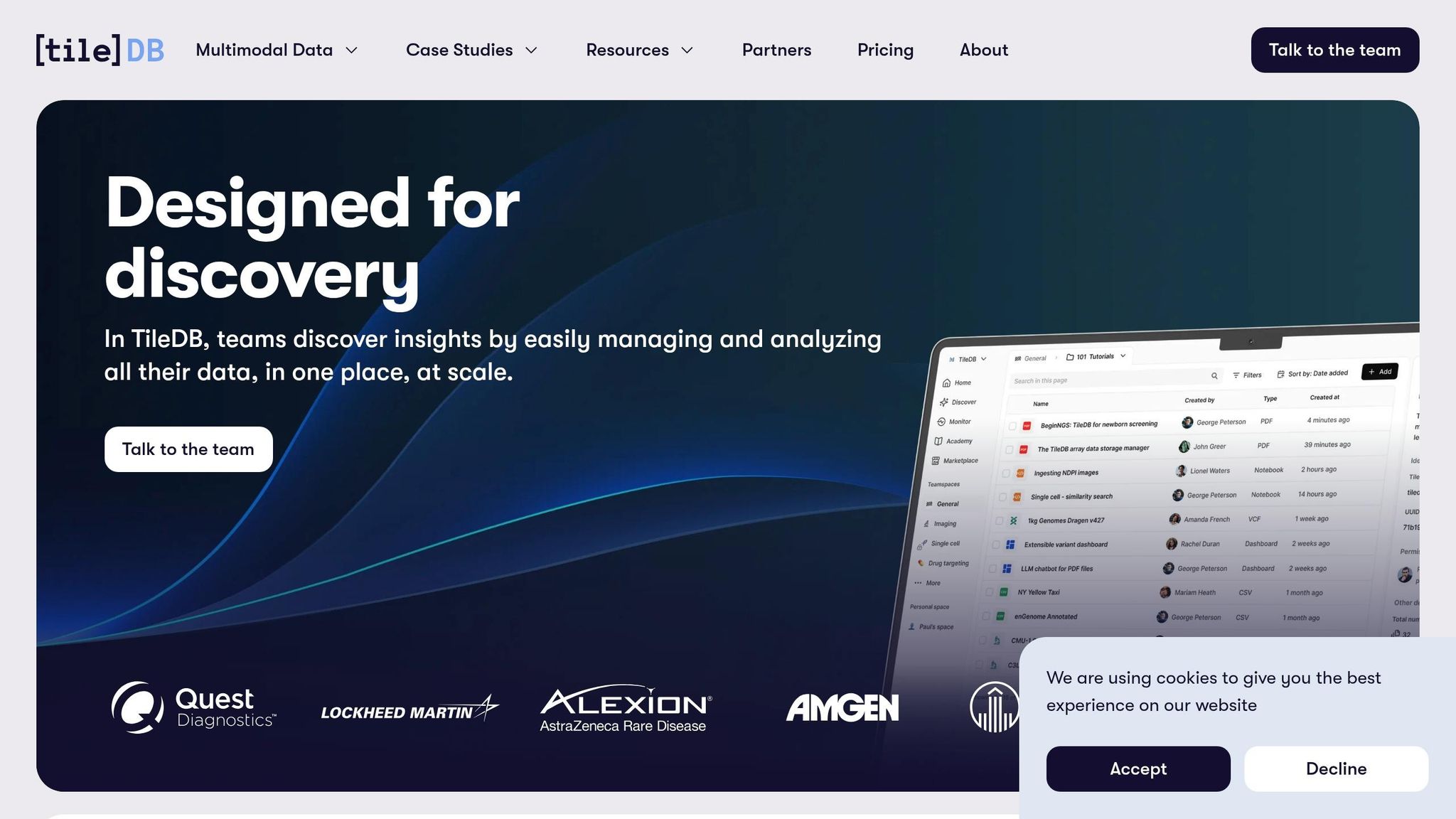
TileDB offers a distinct approach to handling multimodal data by using multi-dimensional arrays as a universal storage layer. Instead of treating different data types as separate challenges requiring unique tools, it dynamically adapts to store any type of data. For instance, dense arrays are used for continuous data like image pixels, while sparse arrays handle irregular data such as genomic variants. This unified system simplifies data cataloging and management.
TileDB supports a wide variety of data types, including 2D/3D biomedical imaging, genomic sequences (VCF), proteomics, LiDAR point clouds, time-series sensor data, vector embeddings, and standard tabular formats. Even unstructured data - like PDFs, emails, and chat logs - can be treated as structured data, complete with metadata, APIs, and preview tools [43].
At the core of TileDB is the Carrara layer, which acts as an all-encompassing catalog for registering, searching, and governing data, code, and AI tools. Stavros Papadopoulos, TileDB's Founder and CEO, explains:
"Carrara eliminates this dilemma by introducing true omnimodality, where every data type, from molecules to market data, from images to tables, is treated as a structured, governed, and performant modality rather than an opaque file." [42]
TileDB integrates smoothly with major cloud providers and platforms. It offers bi-directional, zero-copy data sharing with Snowflake and Databricks, native support for AWS and Azure object stores, and compatibility with PyTorch, TensorFlow, and NVIDIA frameworks. Security features include SSO through Okta and Microsoft Entra ID, SCIM provisioning, and role-based access control [42][45].
This system can also dramatically reduce costs. TileDB cuts storage and compute expenses by up to 97% compared to traditional file-based systems [44]. For example, Cellarity, a drug discovery company, uses TileDB to manage large-scale single-cell data. According to the company’s Chief Data Officer, this reduces the burden on data engineering teams, allowing scientists to focus on research breakthroughs [44]. Other organizations, such as Amgen, Johnson & Johnson, Rady Children's Hospital, and Quest Diagnostics, have also adopted TileDB for multiomics data management, achieving cost savings and improved workflow efficiency [42].
TileDB’s approach redefines how multimodal data is managed, setting the stage for broader applications in advanced AI tools.
10. AI for Businesses
AI for Businesses is a platform designed to help small and medium-sized enterprises (SMEs) find AI tools that streamline workflows by integrating various data types - like text, PDFs, screenshots, call recordings, and video - into a single system [46].
The platform highlights tools that use advanced data processing techniques, including OCR (Optical Character Recognition) for documents and ASR (Automatic Speech Recognition) for media. These tools transform different data types into numerical representations, known as embeddings, which are stored in a shared vector space. This approach enables businesses to analyze and query cross-modal data relationships using natural language [2]. Industries like insurance, logistics, and healthcare have seen noticeable operational gains by adopting these technologies.
AI for Businesses simplifies the process of discovering tools that are compatible with widely used platforms like Microsoft 365, Google Workspace, Salesforce, SAP, and Oracle. These tools also offer deployment flexibility, supporting both on-premises setups and private cloud options [47][48]. Given the growing concerns around data privacy - especially as 75% of companies are considering or have already restricted the use of public AI tools like ChatGPT - secure, firewall-contained solutions are becoming increasingly essential [49].
The platform offers pricing plans to accommodate different needs. Businesses can start with a free Basic plan or opt for the $29/month Pro plan, which includes priority support. Larger organizations requiring custom integrations can explore tailored Enterprise pricing. This flexibility makes it easier for SMEs to integrate AI into their operations without compromising security or budget.
Tool Comparison Table
When selecting a tool, it's essential to think about the types of data you'll work with, how complex your integration environment is, and your primary goals. Here's a detailed comparison to help you decide:
| Tool | Supported Data Types | Fusion Method | Best Use Case | Ease of Integration |
|---|---|---|---|---|
| Google Cloud Vertex AI | Text, images, video, audio | Native multimodal processing | Enterprise AI pipelines, cross-modal search | High - cloud-native, API-driven |
| OpenAI API | Text, images | Vision + language fusion (GPT-4o/mini) | Document analysis, image understanding | High - REST API, widely documented |
| Azure AI Foundry | Text | Hosted model orchestration | Enterprise workflows on the Microsoft stack | High - native Microsoft 365 integration |
| AWS Bedrock | Text | Managed model hosting | Scalable cloud AI on AWS infrastructure | High - marketplace deployment |
| NVIDIA AI Enterprise | Text, images, video, sensor data | Hardware-accelerated inference | Physical AI, robotics, real-time processing | Moderate - requires GPU infrastructure |
| Databricks Mosaic AI | Text, structured/unstructured data | Lakehouse-native model training | Data engineering, ML pipelines | High - works in-place with existing tables |
| Encord | Images, video, text annotations | Multimodal dataset curation & labeling | Computer vision, model training data | High - API and cloud connectors |
| Pinecone | Vector embeddings (any modality) | Shared vector space indexing | Semantic search, cross-modal retrieval | High - managed, production-ready in minutes |
| TileDB | Arrays, images, genomics, sensor data | Unified array storage | Scientific data, bioinformatics, geospatial | Moderate - developer-focused setup |
| AI for Businesses | Text, PDFs, audio, video, screenshots | OCR + ASR + embedding alignment | SME tool discovery, workflow integration | Very High - no-code directory, free to start |
Observations and Key Insights
Cloud platforms like Vertex AI, Azure AI Foundry, and AWS Bedrock stand out for their flexibility and are well-suited for teams already invested in their ecosystems. On the other hand, specialized tools such as Pinecone and Encord shine in niche applications like vector search and data labeling, offering seamless integration into larger workflows. For smaller teams or businesses without dedicated machine learning engineers, AI for Businesses is an excellent starting point. Its free Basic plan and curated tool directory can save significant time during the evaluation process.
Performance Highlights
To put things into perspective, consider this: EmaFusion's approach, which integrates over 100 models, achieves a remarkable 90% accuracy. This is a notable improvement over GPT-4o's 77% and Claude 3.5 Sonnet's 82% accuracy rates. These numbers highlight the potential cost of incorrect outputs and the importance of choosing the right tool for your needs [50].
"ModelFusion™ is the API for teams shipping AI into workflows where wrong answers create real downstream cost." - George Polzer, Founder & AI Product Architect, ModelFusion [51]
Practical examples further emphasize these points. For instance, using a native Databricks tool can help prevent data egress, an essential feature for data-sensitive projects. Meanwhile, SMEs can benefit immensely from the AI for Businesses directory, which offers pre-vetted tools compatible with platforms like Microsoft 365, Google Workspace, and Salesforce. This can save weeks of research and setup time, making it a game-changer for smaller teams.
Conclusion
Choosing the right multimodal data fusion tool starts with asking the right questions: What types of data are you working with? How complex is your current tech stack? And how much technical overhead can your team handle? If your team already operates within a cloud ecosystem like AWS, Azure, or Google Cloud, native integrations with tools such as Bedrock, Azure AI Foundry, or Vertex AI can save you a lot of engineering time. On the other hand, if your workflows deal heavily with video, audio, or sensor data at scale, hardware-accelerated platforms like NVIDIA AI Enterprise or unified storage options like TileDB are worth the extra setup effort. For more niche needs, such as semantic search or organizing training data, tools like Pinecone or Encord are better suited.
This careful matching of tools to specific data challenges not only simplifies workflows but also delivers measurable business outcomes. Across industries, real-world use cases have shown how the right tool can significantly boost efficiency.
The key is to evaluate tools based on your actual data requirements before adding complexity as your needs evolve. Platforms like AI for Businesses can speed up this process by highlighting pre-vetted tools that integrate seamlessly with popular business systems like Microsoft 365, Google Workspace, and Salesforce, potentially saving weeks of research.
"Real competitive advantage comes from purpose-built AI systems, not off-the-shelf generic LLMs." - V7 Go [1]
While the multimodal AI landscape is evolving rapidly, the core principle remains constant: select the tool that aligns with your specific data challenges.
FAQs
Do I need a vector database for multimodal search?
A vector database plays a crucial role in powering multimodal search by storing numerical embeddings - essentially, vector representations that capture the meaning of data. These embeddings allow AI to connect different types of data, such as text, images, and audio, by focusing on their semantic similarities.
What makes vector databases so effective is their ability to handle semantic similarity searches. This means they can identify relationships between data points that go beyond exact matches, which is especially important for understanding and linking diverse formats. Additionally, they support hybrid searches, combining vector-based queries with traditional filters like keywords or metadata.
For those concerned about costs, tiered storage options can help manage expenses by efficiently allocating resources. However, the vector index remains the backbone of the system, ensuring fast and accurate retrieval of information across multiple data types in real-time. This capability is what makes multimodal search not just possible, but practical.
What’s the easiest way to get started with multimodal AI on a small team?
Small teams looking to dive into multimodal AI can leverage tools that make deployment straightforward. For instance, developers can explore the UForm library, which supports embedding and search tasks with just a bit of Python code. If a managed solution is more appealing, Zilliz Cloud offers an out-of-the-box vector database tailored for multimodal search. Another option is the multimodal-python-stack, which provides quick setups and pre-built examples, perfect for experimenting with vision-language agents.
How can I keep multimodal RAG secure without sending data outside my environment?
To keep your multimodal RAG setup secure, it's crucial to use tools that allow for private, on-premise, or offline deployment. This ensures your data remains within your infrastructure. Solutions like NexusMind or SmartRAG are excellent choices - they can process documents, images, and audio locally by leveraging components such as Llama.cpp or FAISS.
For added protection, consider implementing Zero Trust architectures to maintain network isolation. If you opt for cloud-based frameworks, safeguard sensitive credentials by using environment variables instead of hardcoding them, and make sure they’re not accidentally included in version control systems.