Most teams don’t need more automation tools. They need the right one for their workflow shape, team skill, and monthly volume. If I were narrowing this list fast, I’d sort the tools like this: Zapier for simple app-to-app tasks, Make for multi-step flows with branching, n8n for lower cost and self-hosting, Prefect for data and ML pipelines, UiPath for desktop work in old systems, Camunda for approval-heavy process flows, and AI for Businesses as a research starting point.
A few numbers make the tradeoff clear. Only 5% of AI workflow projects reach production, and 46% of teams say integration is the main blocker. Cost changes fast too: a 10-step workflow run 10,000 times per month costs about $208/month on Zapier versus about $50/month on n8n Cloud. That’s why I’d look at app coverage, pricing model, governance, and setup effort before anything else.
Here’s the short version:
- Zapier: easiest for small no-code teams, but per-task pricing climbs fast
- Make: better for visual branching logic at lower cost than Zapier
- n8n: good for technical teams that want self-hosting, AI flows, or more control
- Prefect: built for data pipelines, not general SaaS workflow work
- UiPath: fits bot-based desktop automation with audit and access controls
- Camunda: fits long-running process flows with approvals, SLAs, and audit needs
- AI for Businesses: directory for teams still picking tools
Agentic AI Orchestration with UiPath Maestro

sbb-itb-bec6a7e
Quick Comparison
| Tool | Best for | Setup | Pricing fit | Main limit |
|---|---|---|---|---|
| Zapier | Simple SaaS automation | Low | Starts at $19.99/month | Cost at higher volume |
| Make | Visual multi-step flows | Low to medium | About $9 to $11/month to start | Can get messy with many scenarios |
| n8n | Self-hosted and AI workflows | Medium to high | $20 to $24/month cloud, or VPS cost self-hosted | Team owns more setup work |
| Prefect | Data, AI, and ML pipelines | High | Varies by use | Better for pipeline work than app automation |
| UiPath | Legacy systems and desktop bots | High | Often five to six figures | High cost and setup load |
| Camunda | Governed process orchestration | High | Enterprise-style pricing | More technical overhead |
| AI for Businesses | Tool discovery | Low | Free tier, $29/month Pro | Not an orchestration platform |
If I were choosing for an SME, I’d start with the least complex tool that still fits the process, prove one workflow first, then expand only after cost and run volume stay under control.
7 AI Tools for Workflow Orchestration at Scale
Zapier: Fast cross-app automation for small teams
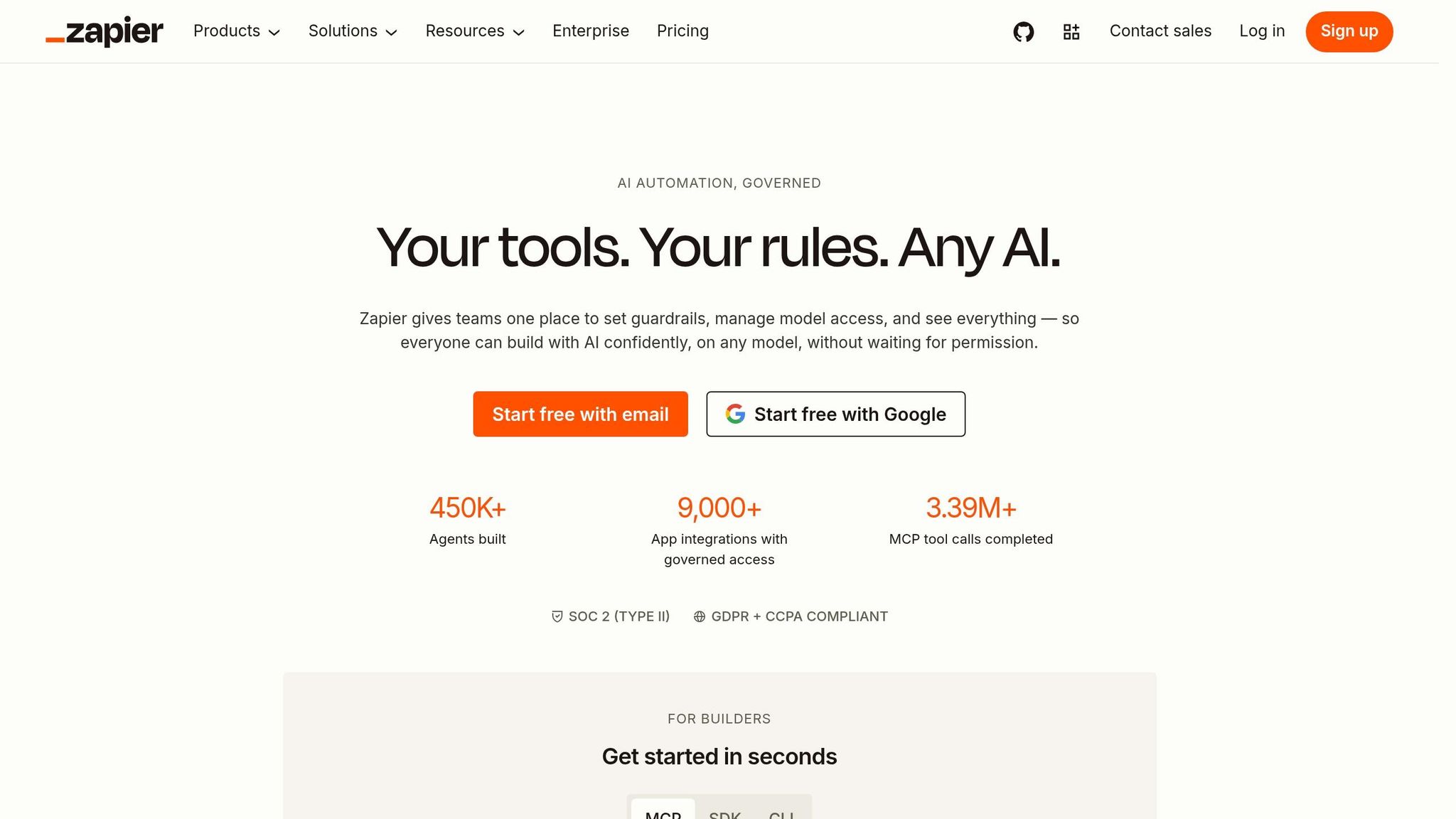
Zapier is the easiest place to start for non-technical teams. Its library of 9,000+ app integrations covers most SaaS tools growing companies already use, and simple Zaps can go live in under five minutes [5][4]. The Copilot feature also helps by letting users describe workflows in plain English, which cuts setup friction for lead capture, notifications, and other straight-line trigger-action workflows [4].
The catch is pricing. Zapier charges per task, so each step in a workflow counts on its own. A 10-step workflow run 10,000 times per month costs about $208/month, and at 50,000 runs per month, costs can go past $1,500/month [1][3]. That makes Zapier a good fit at lower volume, but the bill climbs fast as usage grows.
| Best for | Simple lead capture and other linear trigger-action workflows |
| Setup effort | Low - no coding needed |
| Pricing | Starts at $19.99/mo for 750 tasks [1][2] |
| Scaling limit | Cost rises sharply above roughly 5,000 monthly runs [1] |
| G2 rating | 4.5/5 [5] |
Make: Visual multi-step workflows with logic
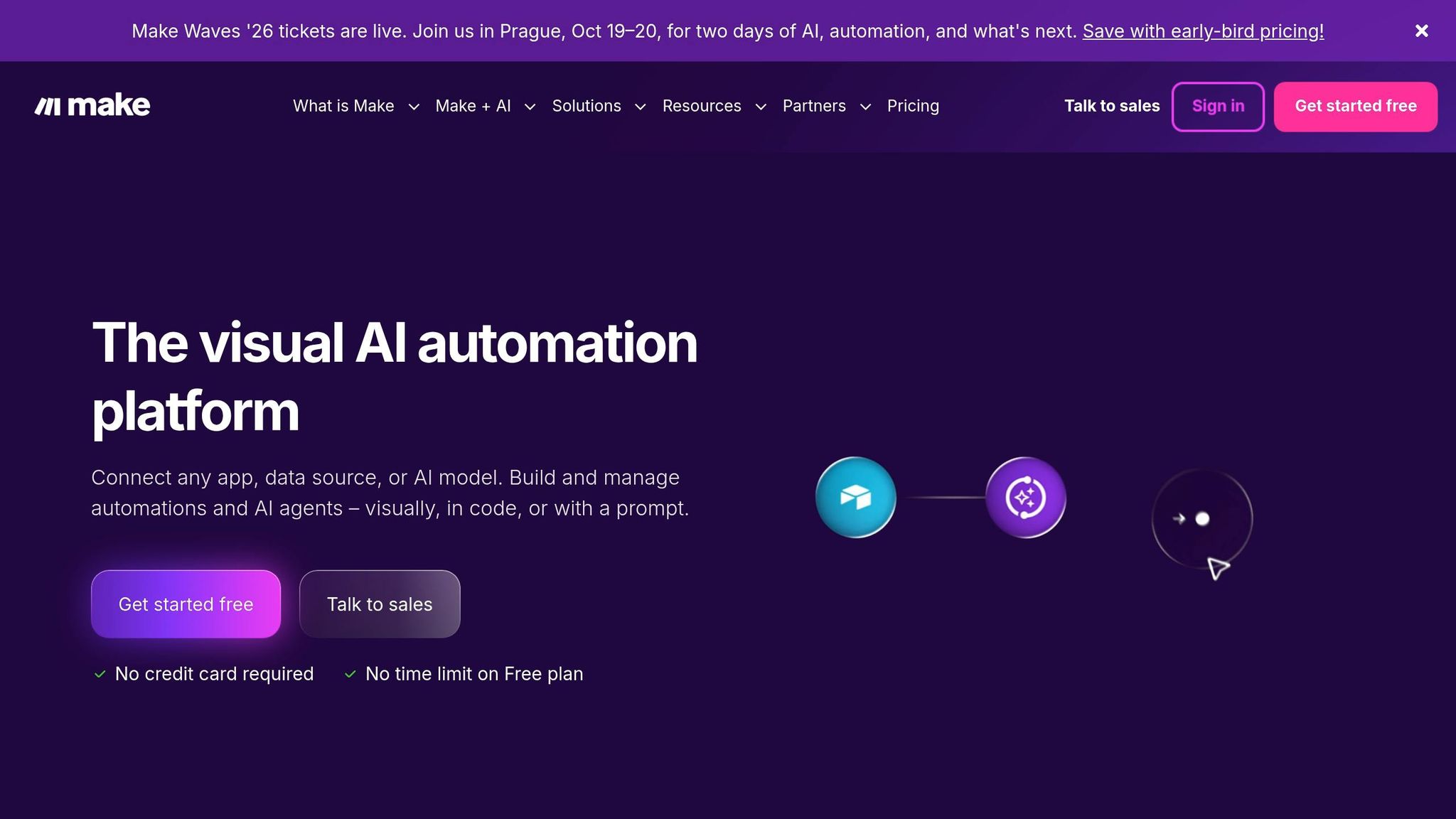
Make, formerly Integromat, is built around a visual canvas. You can see every step, branch, and data transformation in one place, which makes complex multi-step scenarios much easier to follow than tools built around a simple list. It handles branching logic, data filters, and multi-system syncs without needing a developer.
Its pricing is operation-based instead of per task, which makes it roughly 60% cheaper than Zapier at similar volume [3]. The starter plan costs about $9–$11/month for 10,000 operations [1][2]. Still, the canvas has limits. Once you get past 50 active scenarios, things can start to feel messy, and workflows with heavier logic can outgrow what the interface handles cleanly [1].
Best for: Branching back-office, e-commerce, and reporting workflows that need a visual map.
n8n: Flexible orchestration with self-hosted and hybrid control

If cost, control, or self-hosting matter more than ease of use, n8n is a strong next move. It's the only major platform with a free self-hosted version with unlimited workflow executions [5], which makes it the lowest-cost option at high volume. Self-hosted infrastructure usually runs $5–$80/month, compared with hundreds of dollars on Zapier [1].
The cloud plan starts at $20–$24/month for 2,500 executions. Self-hosted deployments cost less, but they also put the engineering and infrastructure work on your team [4][2]. n8n also stands out for AI agent support, with native integrations for LangChain and vector databases. That makes it a strong fit for teams building autonomous AI workflows or document processing pipelines [4][3].
Best for: High-volume automation, HIPAA/GDPR-sensitive workflows, AI agent orchestration, and technical teams that want to avoid vendor lock-in.
Prefect: Orchestration for data, AI, and ML pipelines
UiPath: Bot-driven automation with governance
UiPath uses software robots (bots) to click, type, and move data inside apps like a human user. That's especially useful for legacy systems that don't have APIs. Its governance layer is a big part of the appeal too, with audit logs, role-based access controls, and bot management dashboards.
The downside is price. Full enterprise deployments can reach the six-figure range [1], which puts UiPath out of reach for most SMEs unless there's a very specific, high-volume, compliance-heavy process that makes the spend worth it.
| Best for | Repetitive desktop workflows on legacy systems where governance matters |
| Setup effort | High - requires IT and RPA expertise |
| Pricing | Enterprise licensing; six-figure range for full deployments [1] |
| Scaling limit | Cost and complexity limit adoption to high-value, compliance-driven use cases |
For teams still shortlisting tools, the final item is less of a platform and more of a starting point for research.
Camunda: Structured process orchestration across systems
AI for Businesses: A directory for finding workflow and AI tools
AI for Businesses is a directory built for SMEs and scale-ups that want a faster way to find workflow and AI tools. If you're still sorting out your stack, it gives you a place to start before you commit to any one platform.
The directory has a Basic free tier with limited access, a Pro plan at $29/month with full access and priority support, and Enterprise pricing on request for custom needs.
Best for: SMEs in the early stage of building their AI tool stack that want an organized resource instead of starting from scratch with search.
Side-by-side comparison for SME decision-makers
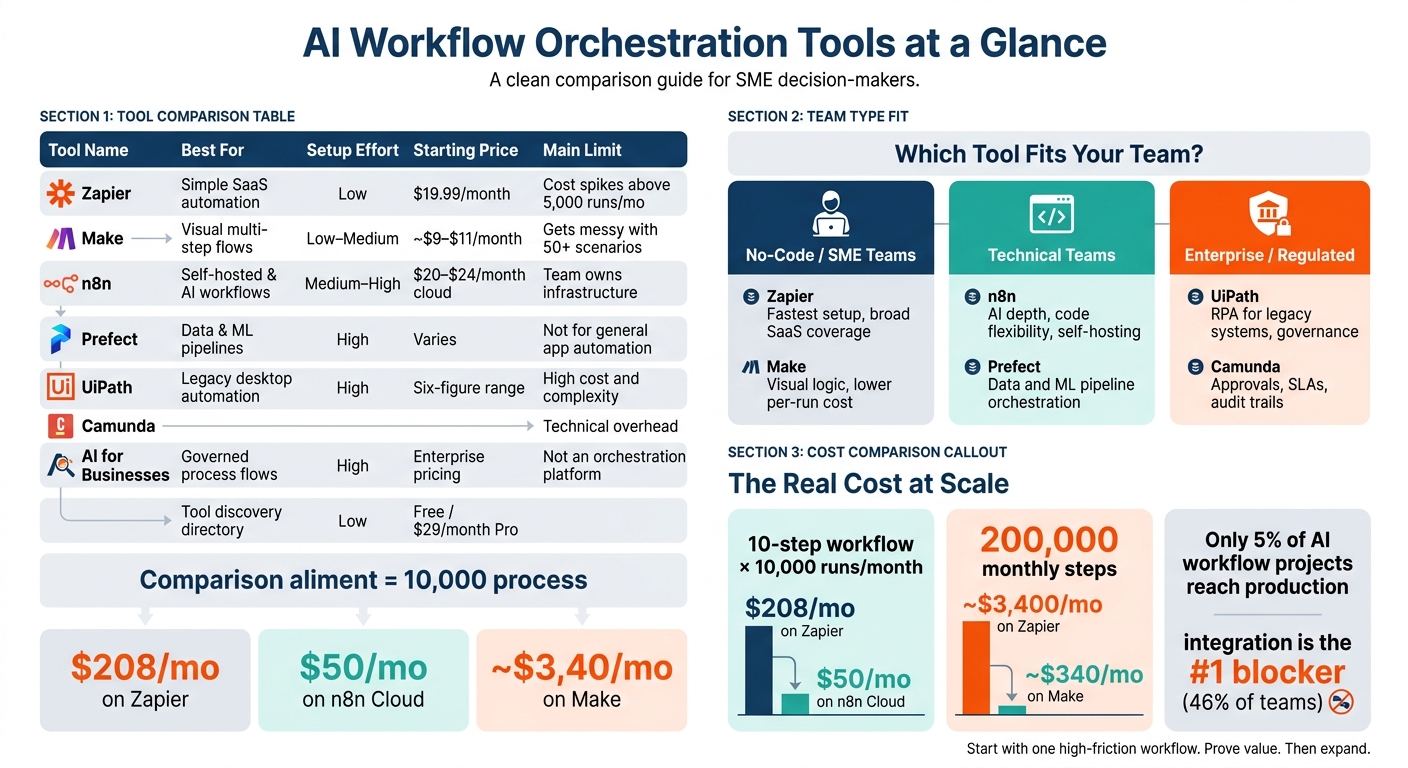
AI Workflow Orchestration Tools Compared: Cost, Complexity & Best Fit
Picking the right orchestration tool usually comes down to two things: how technical your team is and where costs start to bite. In practice, these tools land in three broad tiers.
Which tools fit no-code, technical, or regulated teams
Zapier and Make are the usual starting point for non-technical teams. Zapier is easier to get moving with fast. Make has the edge when you want more visual logic and lower costs on multi-step workflows. The table below gives you a quick read on fit, control, and cost.
n8n and Prefect are better suited to teams that can handle code. n8n gives developers tighter workflow control, with JSON exports, Git reviews, and native LangChain and AI nodes. That makes it a strong pick for AI-driven workflows. Prefect is built for a different job: data, AI, and ML pipeline orchestration.
UiPath and Camunda sit in their own lane. They make sense for organizations that need strict governance, work with older systems that lack strong APIs, or run long processes with manual approval steps. Camunda is a good fit for regulated, process-heavy workflows.
| Team Type | Best-Fit Tools | Main reason to choose it |
|---|---|---|
| No-code / SME | Zapier, Make | Fast setup, visual ease, SaaS coverage |
| Technical teams | n8n, Prefect | AI depth, code flexibility, cost at scale |
| Enterprise / Regulated | UiPath, Camunda | Governance, audit trails, legacy integration |
Cost drivers, scaling limits, and time to value
Each tool has a point where its pricing model or setup starts to work against you.
Zapier charges per task, so each step in a multi-step workflow is billed on its own. That adds up fast. A company running 200,000 monthly steps pays roughly $3,400/month on Zapier vs. about $340/month on Make for the same volume [8]. Make uses operation-based pricing that scales sub-linearly, which makes it 3 to 10 times more cost-efficient for complex, branching workflows [6][8].
n8n flips that model. Self-hosted deployments can cut costs down to the price of a VPS, while cloud plans start at about $20 to $24/month [9][5]. The tradeoff is simple: if you self-host, your team owns the infrastructure work as part of your custom AI implementation. And as compliance demands grow, governance can become a bigger problem.
UiPath and Camunda aren't competing on per-task pricing. Their costs come from platform licensing, often starting in the five-figure range per year. That puts them in a different bracket, and it only makes sense when process complexity and compliance demands justify the spend.
The matrix below strips each option down to its main tradeoff.
| Tool | Scaling Limit | Primary Cost Driver |
|---|---|---|
| Zapier | Cost (~5,000+ runs/mo) | Per task (every step) |
| Make | Complexity (~50+ active flows) | Per operation (module run) |
| n8n | Governance (self-hosted) | Per execution / VPS fixed cost |
| UiPath | High entry cost | Bot licenses + platform fees |
| Camunda | Technical overhead | Workflow volume |
How to Choose the Right Orchestration Tool for Your Growth Stage
Use the table above to line up each tool with your team’s complexity, control needs, and technical capacity.
Best Picks by Business Scenario
The fastest way to pick a tool is to look at the shape of the workflow, not the length of the feature list.
Go with Zapier when you need simple app-to-app links and setup speed matters most. Pick Make for branching workflows that need visible logic and a lower per-run cost. Choose n8n if you need self-hosting, code-level control, or tighter data handling. Use Prefect for data and ML pipelines rather than SaaS app automation. Pick UiPath for governed automation on legacy systems. Use Camunda for process-heavy workflows with approvals, SLAs, and audit trails.
| Scenario | Best Tool | Why |
|---|---|---|
| Marketing/sales app connections | Zapier | Fast setup, no-code, broad SaaS coverage |
| Branching back-office workflows | Make | Visual logic, lower per-run cost |
| AI agents or strict data residency | n8n | Self-hosting and code-level control |
| Data and ML pipelines | Prefect | Built for pipeline orchestration |
| Legacy systems, desktop automation | UiPath | RPA for apps without APIs |
| Multi-system process governance | Camunda | Approvals, SLAs, audit trails |
After you match the tool to the workflow, start with one process first. Get it working. Then expand.
A Phased Rollout Plan for Small Teams
Start with one high-friction workflow owned by one person. That gives you a clear owner and a simple way to prove value. Measure the process first so you don’t drift into shadow IT waste, and so you can track labor hours recovered [7].
Then scale with some discipline. Move into cross-team automations only after the first workflow is stable and monitored. Keep an eye on run volume too. On Zapier, around 5,000 monthly runs often becomes the point where teams stop and rethink cost [1]. When you hit that range, review volume, control, and spend before you widen scope.
Conclusion: Start with the tool that matches your process complexity
After weighing cost, control, and setup effort, the choice mostly comes down to fit. The best orchestration tool is the one your team can run at scale without piling on extra work. Your process volume, your team's skill level, and your governance needs should lead the decision.
Pricing matters, too. Per-task and per-operation billing can look cheap when volume is low, but costs can climb fast as usage grows. And price is only one side of the story.
Setup effort has a cost as well. Pick the interface your operators can work with every day, not just the one that looks good in a demo.
The next move is pretty simple: start with one high-friction process, prove the value, and then expand. Most organizations are still early in automation, so a phased rollout makes sense.
FAQs
How do I choose the right orchestration tool for my team?
Choose based on your team’s technical skill, how complex your workflow is, and who owns ops. Focus on what your team needs day to day, not the total number of features. That’s how you avoid stack sprawl.
- Non-technical teams connecting SaaS apps: Zapier or Make
- Engineering-led workflows that need durable execution, retries, or custom code: Temporal, Inngest, or Trigger.dev
- Agent-heavy workflows with complex reasoning or multi-agent coordination: LangGraph or CrewAI
When should I switch from no-code automation to a more technical platform?
Switch when no-code automation stops fitting the way your workflows actually run, especially when those workflows are complex, long-running, or stateful instead of simple step-by-step flows.
A more technical platform starts to make sense when you need failure recovery, long-term state management, tighter governance, audit trails, compliance support, or custom code integration.
What should I measure before scaling a workflow?
Before you scale a workflow, make sure the process can handle more volume and more moving parts. Look at the workflow owner’s technical skill set and your current maturity level so the platform matches what you need for integrations, logic, and state management.
You’ll also want to confirm support for governance, audit trails, data sovereignty, error logging, retry logic, and performance monitoring under load.